Productivity · Enterprise · Solo
SEAM
Hackathon · Enterprise · Solo
Protothon · 2026
01 · The Problem
Institutions are losing equipment
they can't account for.
they can't account for.
Schools, IT departments, recreation centres — any institution managing shared physical assets faces the same problem. The tracking systems in place are either non-existent, paper-based, or a spreadsheet that hasn't been updated since the last handover.
The consequences:
- Equipment goes missing with no custody trail
- Items return damaged with no accountability record
- Assets are allocated to unauthorised users with no documentation
The problem isn't just financial loss. It's the absence of accountability.
Without a clear chain of custody, there's no way to know what happened to an item, who was responsible, or when the problem started. And without that information, the same failures repeat.
The design brief
One app. Full visibility. Every asset, every interaction, every time. Designed for the staff who manage these systems daily — not for the administrators who spec them.
Problem context — manual trackingSpreadsheets, paper logs, or missing records that SEAM replaces
02 · The Design
Track. Check Out.
Recover.
Recover.
Every feature in V1 exists to make one of those three actions faster and more reliable.
Nothing else shipped in V1.
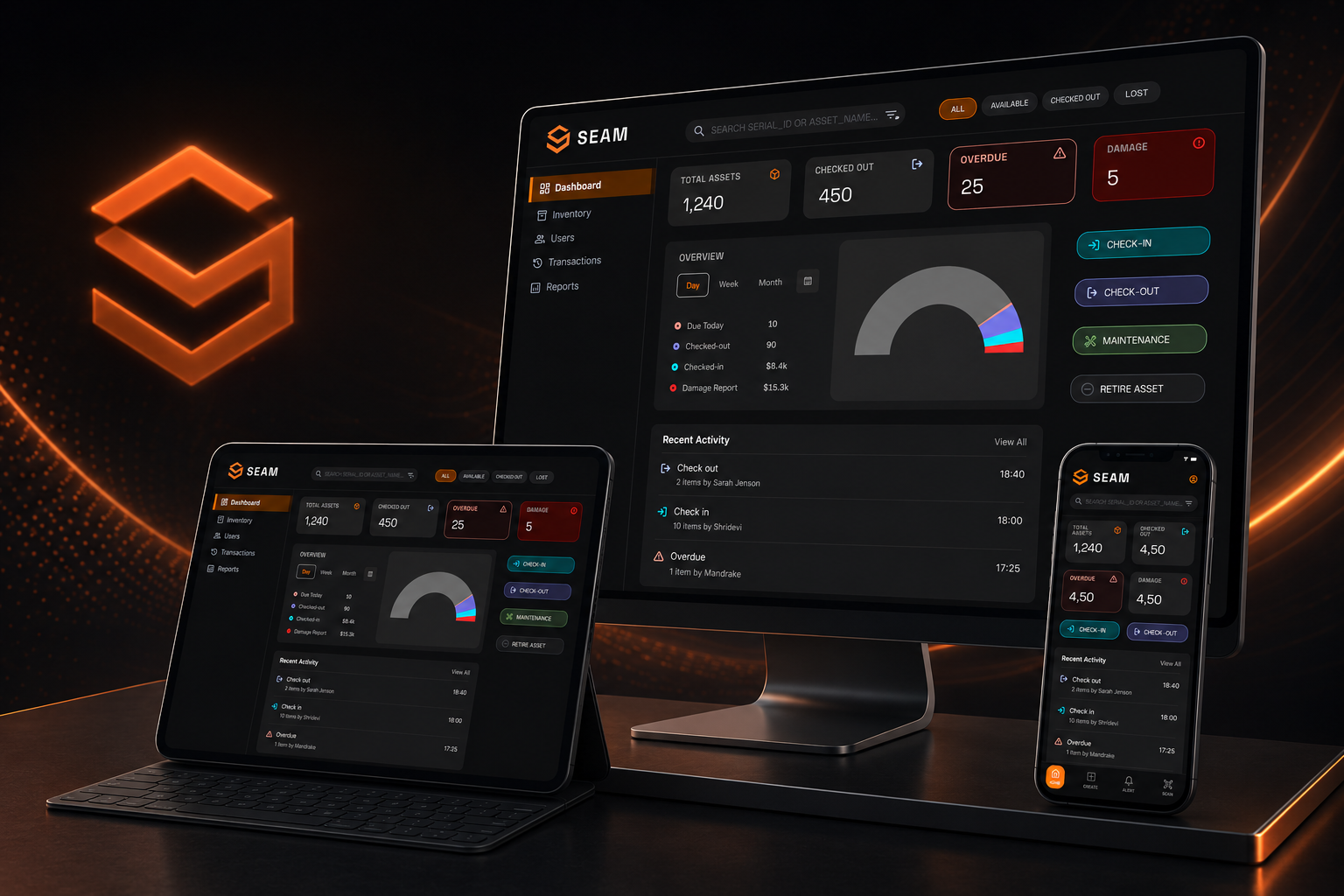
Dashboard — situational awareness at a glance
Total assets, checked out, overdue, and damage flags — visible without navigation. An operator walks in and knows the state of the inventory in under 5 seconds.
Barcode-powered check-in / check-out
Every asset has a unique auto-generated barcode validated against a Global Inventory Registry. Scan → status returned → action in one tap. Quick and Bulk modes for both check-out and check-in.
Add Asset — 3-step flow
Basic details → auto-generate barcode → confirm and print label. Completable in under 60 seconds. Required fields only on screen. Designed to remove the friction that causes staff to skip asset creation entirely.
Full asset history
Every checkout, check-in, and damage event — timestamped, attributed to a specific user, permanently logged. Current holder always visible. One-tap overdue reminder.
Damage reporting
Logged directly from the item page with timestamp and reporter identity. Closes the accountability loop that manual systems leave permanently open.
Bulk operations
Quick and Bulk modes for both check-out and check-in — designed for real operational workflows where staff move multiple items at a time.
Dashboard — main screenAsset overview, status counters, recent activity
Barcode scan — check-out flowCamera scan → asset status → one-tap action
Add asset — 3-step flowInfo → generate barcode → confirm and print
Asset history viewFull timestamped custody history for a single item
User profile / overdue alertOverdue items, send reminder, user custody history
03 · V2 Roadmap
V1 solves the daily workflow.
V2 scales it.
V2 scales it.
- User permission tiers
- Repeat-offender flagging
- CSV bulk import
- Push notifications for overdue items
- Analytics and reporting dashboard
- Multi-site support
04 · Outcome
What 24 hours
actually produces.
actually produces.
24 hrs
Blank canvas to complete
annotated V1
annotated V1
Excellent
Rating received
Protothon 2026
Protothon 2026
Full V1
Dashboard · Scanning · Check-in/out
Asset creation · Damage · Alerts
Asset creation · Damage · Alerts
"
SEAM isn't a proof of what I can do with unlimited time. It's a proof of what I can do with 24 hours — which is, in many ways, the more useful thing to know.
— Shridevi S S
Protothon 2026 — submission or Excellent ratingFinal pitch deck, rating screenshot, or event context
Loading... 🧡